
On a computer:
- Download and install Google Earth (If not already installed on your computer).
- Download the file below.
- Double click on the file below and it should open Google Earth automatically.
On a cell-phone:
- Download Google Earth from the store (Apple or Google play store).
- Download the file below to your cell phone.
- Choose the section from the top that says “Local”.
- Then choose the option that says “Open Local KML File”.
- Go to the storage location where you downloaded the .kml file.
Satellite (with staging areas and flow)
Topographic (with staging areas and flow)
Roadmap (with staging areas and flow)
Individual Well Pad Layouts
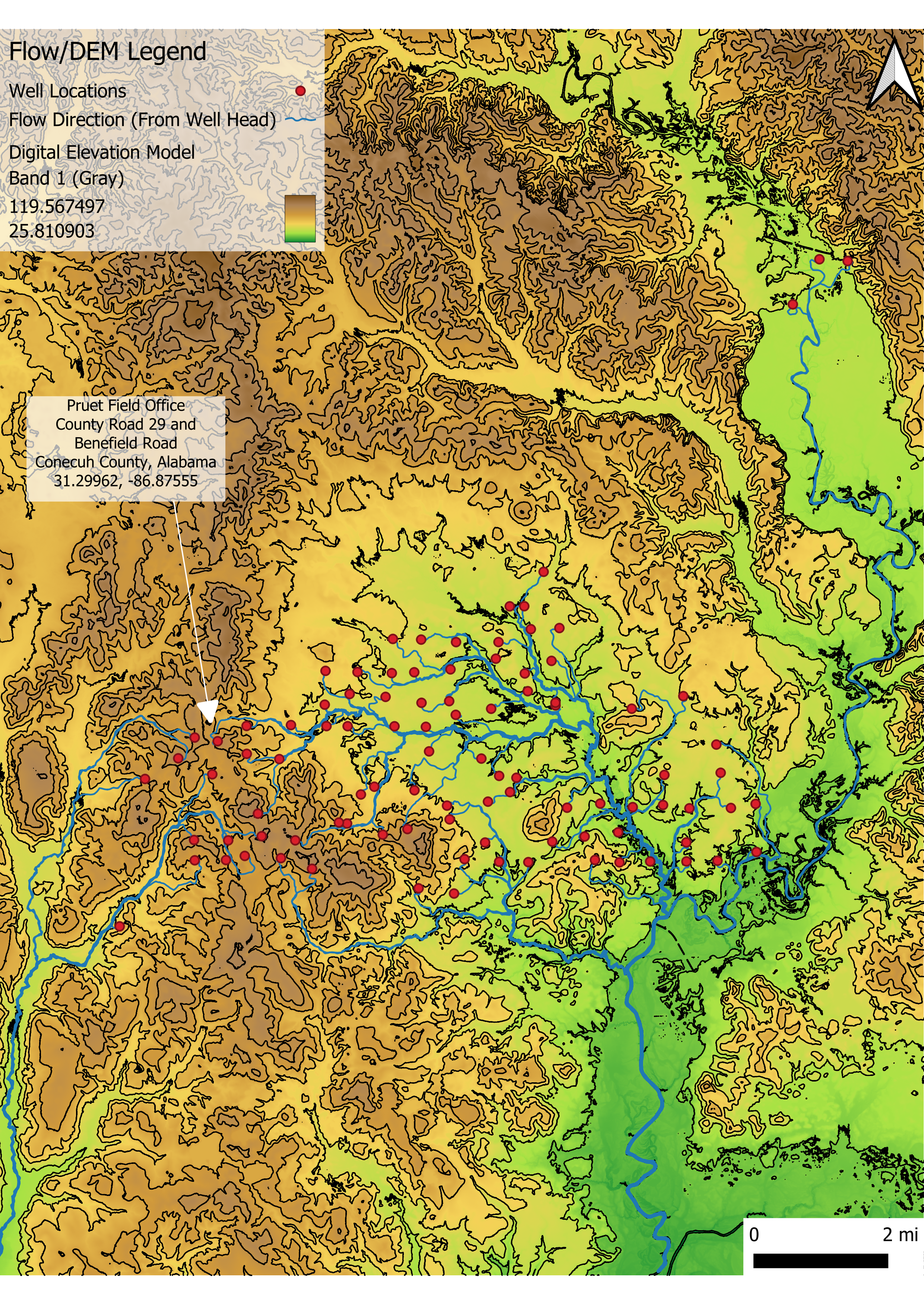
GIS Digital Elevation Map – Contours
This map was processed with GIS software to show contours and flow direction of each well (represented as red markers).

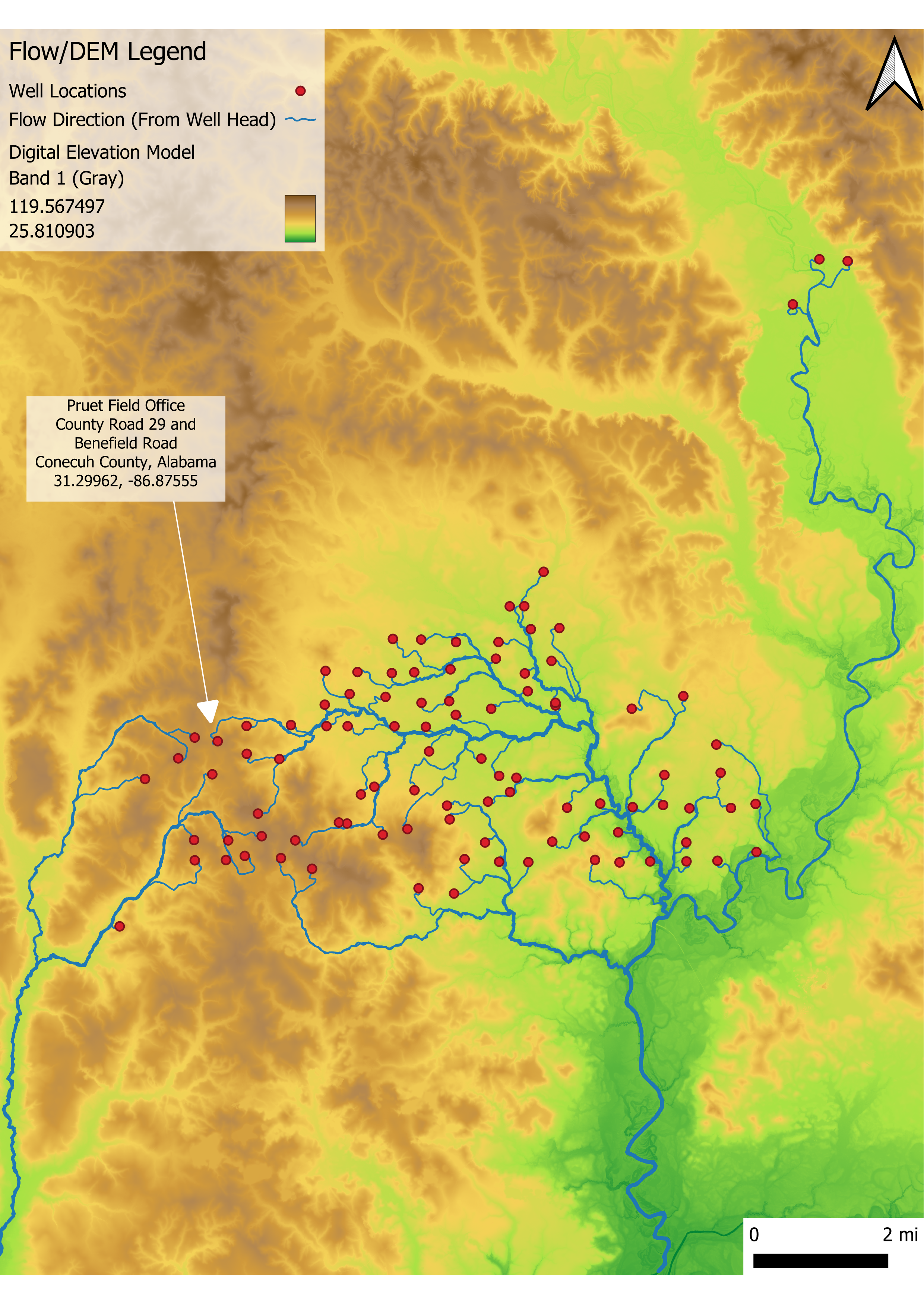
GIS Digital Elevation Map – No Contours
This map was processed with GIS software to show flow direction (without contours) from each well (represented as red markers).

With this map you can toggle the following overlays:
- Parcel Data (property outlines)
- Contour Lines
- County Lines
- Wetlands Inventory
To view the name of the well click on the icon and a dialogue box will come up and show you the name of the well.